How to Measure a PDF in Centimeters (Online cm Ruler)
Centimetres are the everyday unit for posters, packaging, sewing patterns and school projects. This guide shows how to read a PDF in cm without printing it.
Switch the ruler to centimetres
- Open PdfRuler and drop a PDF onto the page.
- Open the unit menu and choose cm.
- The rulers relabel (0, 5, 10 ...) and the page size reads, for example, 21.00 x 29.70 cm for A4.
Read a whole document in one go
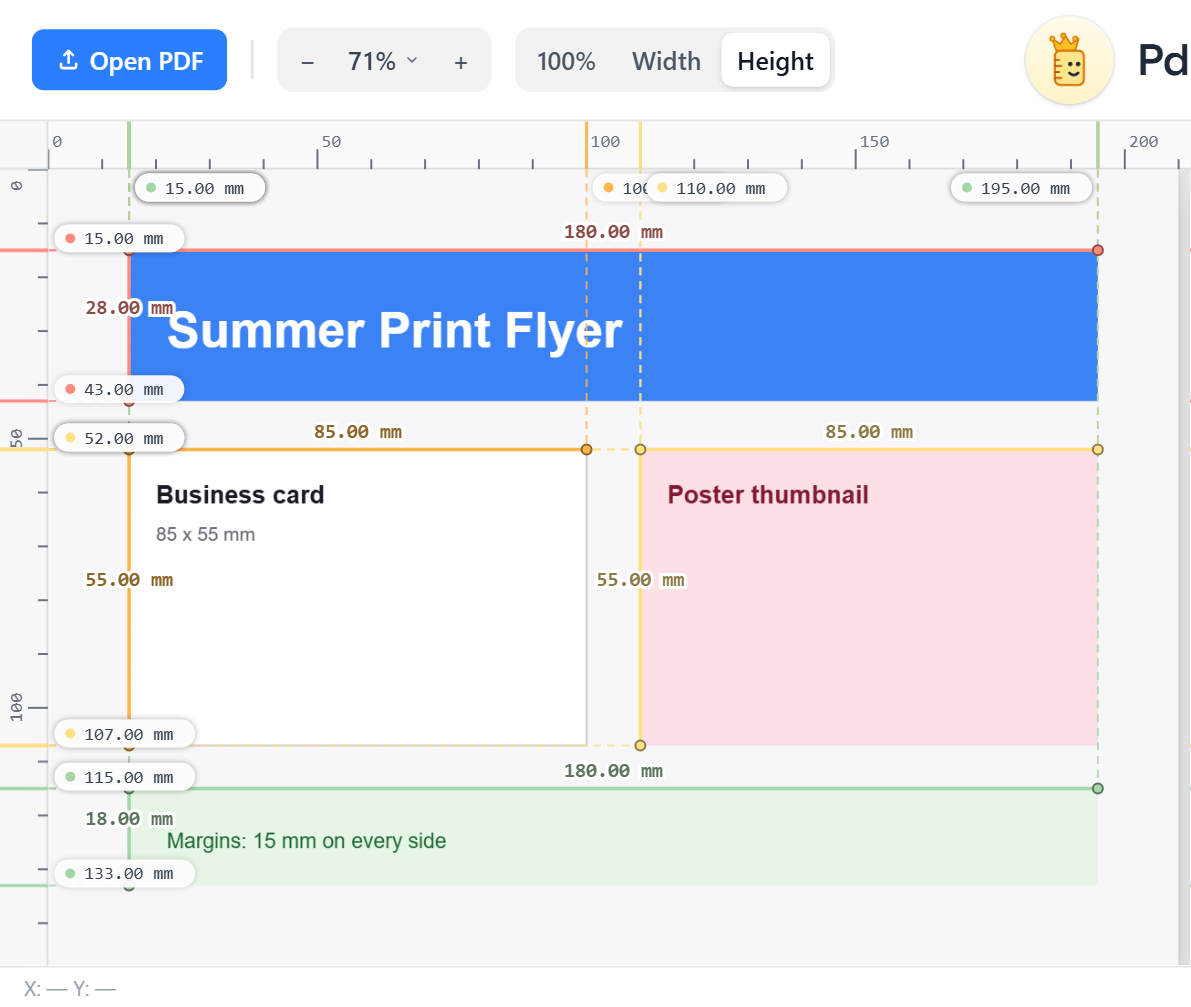
Press A or click the green Auto-measure icon and every rectangle and straight line is measured in your unit:
Measure one thing by hand
Click one edge, then the opposite edge. The labelled line is the distance. Hold Shift while the second point is pending to keep the line perfectly horizontal or vertical. Both features are described in placing points and Shift-align.
Handy cm sizes
- A4: 21.0 x 29.7 cm, A3: 29.7 x 42.0 cm, A5: 14.8 x 21.0 cm
- Postcard A6: 10.5 x 14.8 cm
- Business card: 8.5 x 5.5 cm
Need other units? Inches and mm are one click away.
Frequently asked questions
How do I measure a PDF in cm?
Open the PDF in PdfRuler and pick cm from the unit menu; the rulers and every readout switch to centimetres.
What is A4 in centimetres?
A4 is 21.0 x 29.7 cm.
Is the measurement exact?
Page size and auto-measured boxes come straight from the PDF coordinates, so they are exact. Hand-placed points are as precise as your zoom level allows.
