How to Measure Label and Sticker PDFs Before Printing
Label sheets are unforgiving: a 0.5 mm drift in the first row becomes a visible shift by the last. Measure the PDF against the label sheet spec before you waste a sheet.
What to measure
- Label size: width and height of each label.
- Gutter: the gap between labels, horizontally and vertically.
- Margins: top and left offset of the first label.
- Pitch: distance from the start of one label to the start of the next.
Measure the first label and the gap
- Open the PDF in PdfRuler, in mm.
- Press A: Auto-measure labels every box, so you see the label size at once.
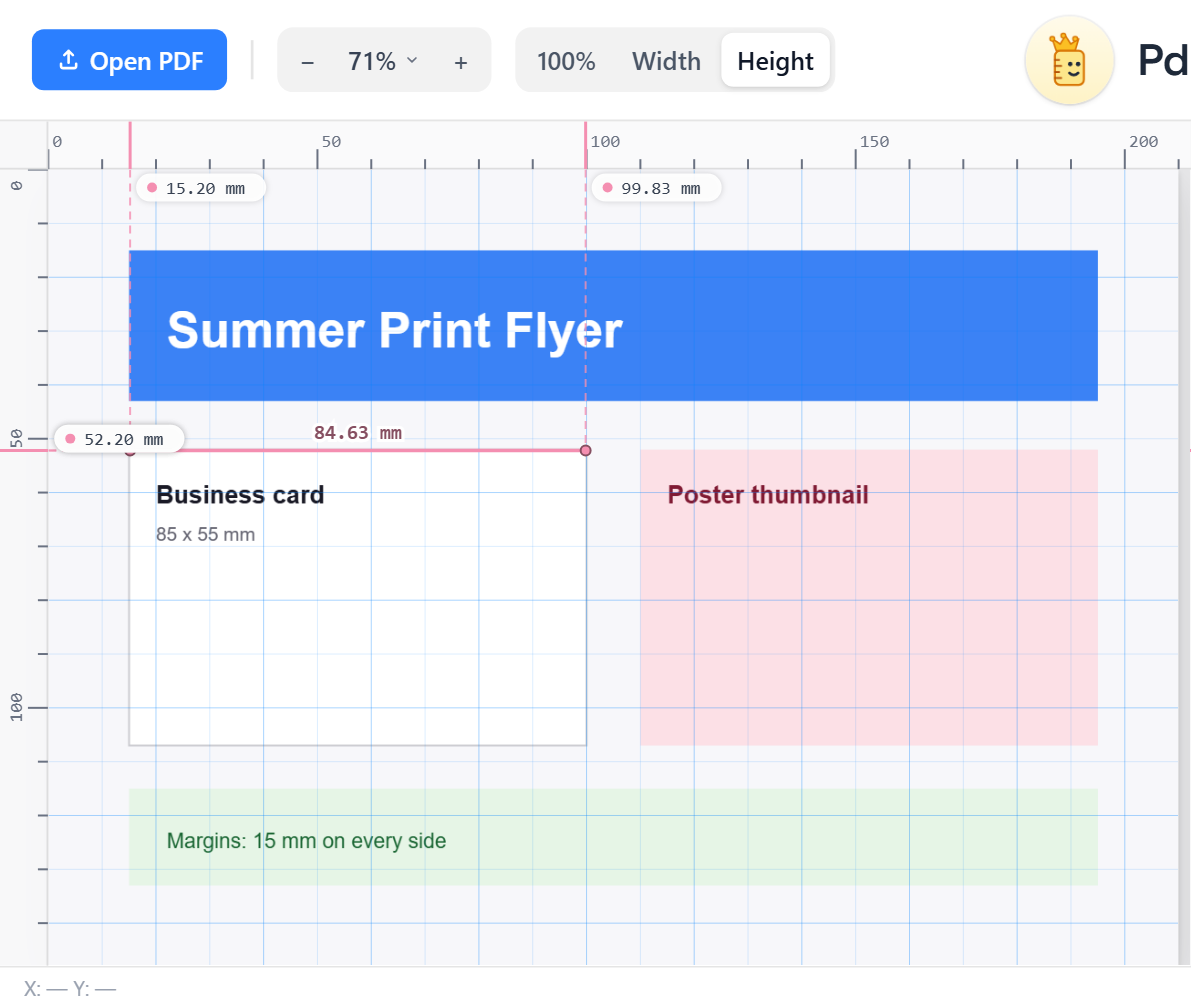
- Place two points on the right edge of label 1 and the left edge of label 2 for the gutter, with snap on.
Check alignment down the sheet
Turn on the grid, then drag a vertical guide to the left edge of the first label and look down the column: every label should touch the guide. Do the same for rows with a horizontal guide. A label that sits a hair off is clearly visible. Details in ruler guides.
Compare with the sheet spec
Sheet makers publish label width, height, pitch and top/left margin. Your measured numbers should match to within about 0.2 mm. Measure with a single-corner origin so the first label's offset reads directly: top-left origin is the usual one for label specs.
Save proof
Save a copy with your measured lines drawn on and send it to whoever needs to approve the layout.
Frequently asked questions
How do I check label alignment in a PDF?
Turn on the grid, drag a guide to the edge of the first label and look along it. All labels in that row or column should touch it.
How do I measure the gap between labels?
Place one point on the edge of a label and one on the neighbouring label's edge, with snap on. The line label is the gap.
What accuracy do I need for label sheets?
Aim for within about 0.2 mm of the sheet maker's spec.
