What Is Bleed in a PDF? How Much You Need and How to Check It
In this guide
Printers cut paper with a blade that moves a fraction of a millimetre. If your background stops exactly at the cut line, a hair of white can show on the edge. Bleed is the cure.
Definitions
- Trim: the final size after cutting.
- Bleed: artwork that extends past the trim edge.
- Safe zone: the inner area where text and logos must stay so they are not clipped.
How much bleed
| Region | Typical bleed | Typical safe zone |
|---|---|---|
| Europe / metric | 3 mm | 3 to 5 mm inside trim |
| US | 0.125 in (3.18 mm) | 0.125 to 0.25 in inside trim |
Always follow your printer's own spec sheet; some want 5 mm.
Check bleed in a PDF
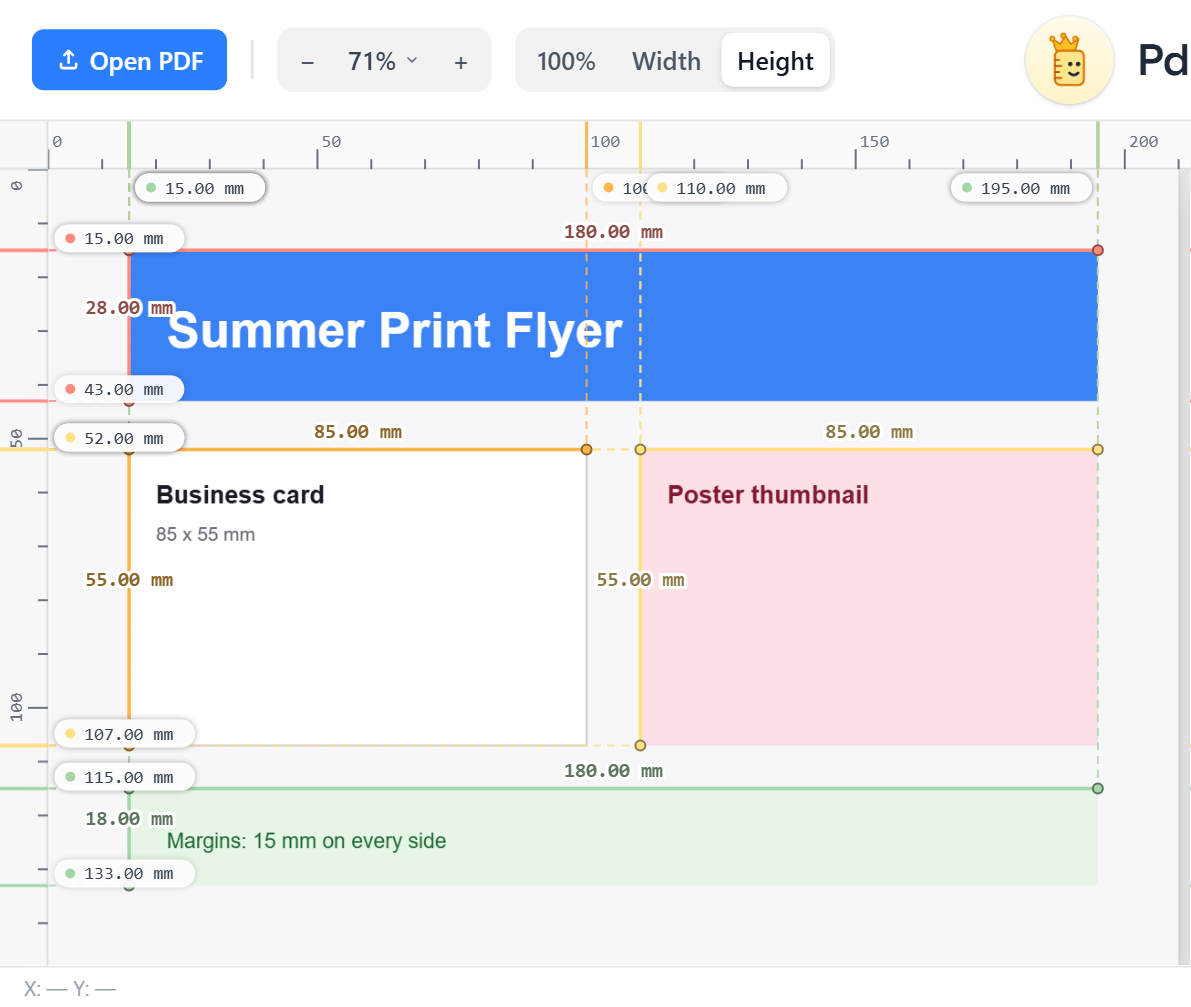
- Open the PDF in PdfRuler in mm.
- Read the page size. A bleed file is bigger than the trim: a business card of 85 x 55 mm with 3 mm bleed is 91 x 61 mm.
- Press A to auto-measure the boxes, and look for the background box and the trim box.
Check the safe zone
Drag guides from the rulers to the trim line and 3 mm inside it. If any text crosses the inner guide, move it. Step by step in ruler guides and in checking margins and bleed.
Frequently asked questions
How much bleed do I need?
Most printers ask for 3 mm (0.125 in) on every side. Check your printer's spec as some require 5 mm.
How do I know if my PDF has bleed?
Compare the page size with the trim size. If the PDF is 6 mm wider and taller than the final size, it has 3 mm of bleed.
What is the safe zone?
The area inside the trim where text and logos must stay, usually 3 to 5 mm in, so nothing is cut off.
